Domain, Authentication & App ID
1. API Base URL
All V3 API endpoints are accessible via:
https://openapi.trustformer.info2. Authentication
2.1 Obtaining API Key
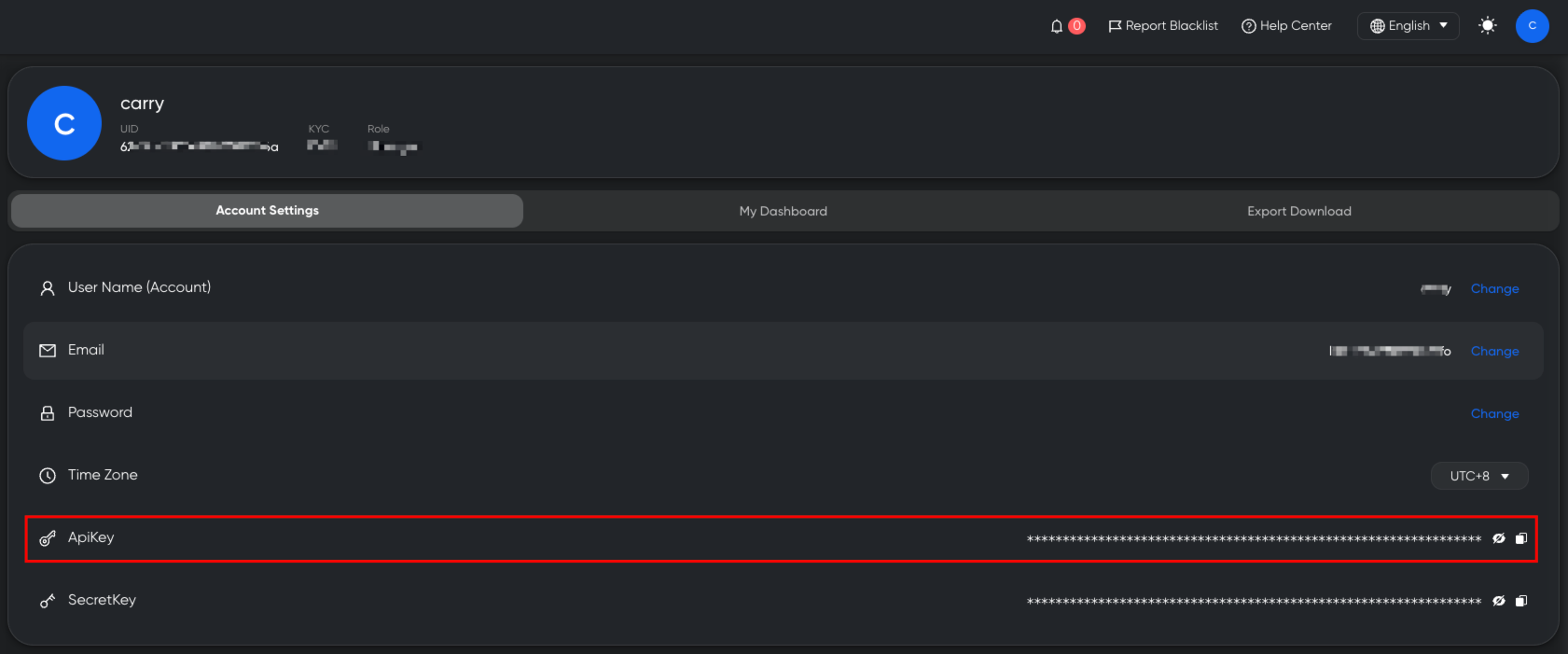
After logging into the KYT system:
- Navigate to Account Settings
- Generate or view your API Key
2.2 Passing the API Key
For all API requests, include the apikey parameter in the request URL.
Example:
GET https://openapi.trustformer.info/v3/xxx?apikey=YOUR_API_KEY2.3 Version Upgrade Notice (V2 → V3)
- V3 no longer requires the
secretkeyparameter. - Only
apikeyauthentication is required.
2.4 Authentication Error Response
If the API Key is invalid or expired, the system returns:
{
  "code": -1,
  "data": {},
  "message": "api_key is invalid"
}3. App ID (APPID)
3.1 What is an App ID?
.png)
In the KYT Rule Engine, users can create an App.
An App represents a customized risk configuration, including:
- Risk type thresholds
- Risk Level adjustment rules
- Alert triggering logic
After creating an App, the system will display the corresponding App ID at the top of the page.
3.2 How App ID Works
When calling OPENAPI endpoints:
-
If
appidis NOT provided
→ The system uses the default Risk Engine configuration. -
If
appidis provided
→ The Risk Engine dynamically adjusts risk evaluation results
→ Based on the user-defined Risk Threshold configuration.
This allows clients to implement personalized risk control strategies.